Payments
The record of payments with one teacher: you report that you paid for so many lessons, the teacher confirms, and each lesson is deducted from the balance. No money goes through Memova — you pay your teacher the way you agreed.
How it works
- You pay the teacher — to a card, in cash, any way you like.
- Here, “Report a payment”: for how many lessons, a note, a receipt if you have one.
- The teacher sees the claim and confirms it — the lessons go onto the balance.
- Each lesson held takes its share off the balance: 50 minutes is one lesson, 25 is half.
The balance is counted in lessons, not money. The price is only there to show the same amount in hryvnias (or another currency) too.
Where it is
- The payments page: on the pair page, “Statement” on the balance card or in the “⋯” menu. The arrow at the top leads back to the teacher.
- The short claim form: the “Report a payment” button on the pair page’s balance card (see “Your page with a teacher”).
Balance

On the left, a big number: how many “lessons on the balance” or, with a minus, “unpaid lessons”; under it the same amount in money, if the teacher set a price. Below: “paid … · done …” — how many lessons payments have covered in all and how many were held, and how many more are booked.
The pair page shows the same balance — the “Paid ahead” / “Owed” card, with dots for the lessons and the date your payments last until.
Terms
On the right is what the teacher wrote: the price for 50 and for 25 minutes (or “No price set.”) and the payment details and terms — a card number, “paid in advance for 10 lessons” and so on. Only the teacher changes the terms; until there are any, it says “The teacher has not written how to pay yet.”
Report a payment
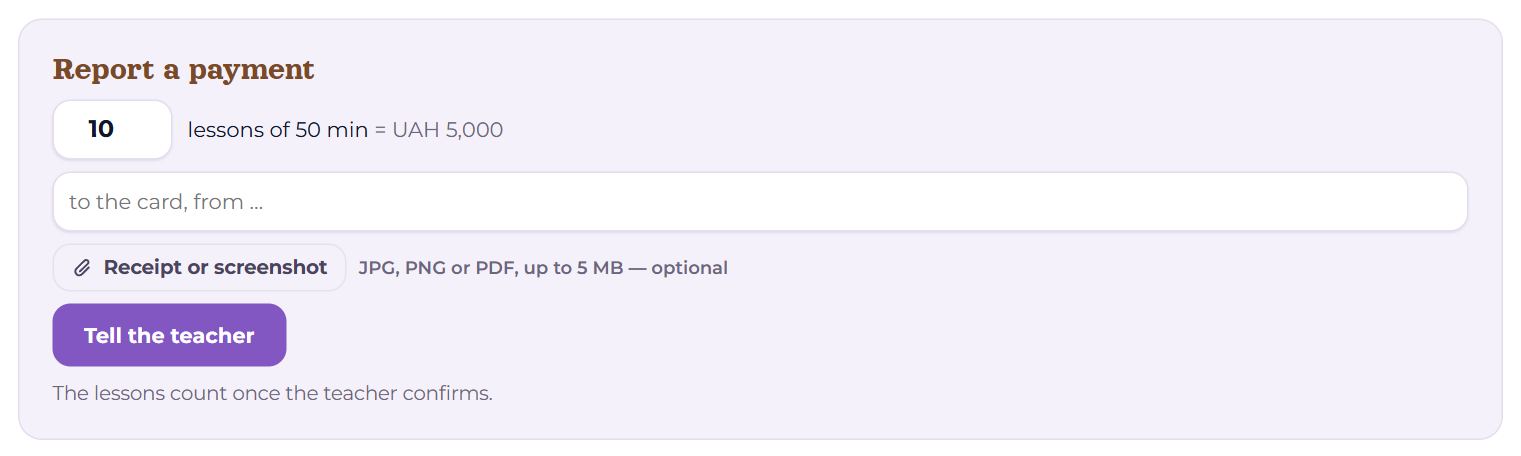
- The number of lessons of 50 minutes. With a price set, the amount shows next to it at once: “= 5,000 UAH”.
- A note — how you paid: “to the card, from …”.
- “Receipt or screenshot” — JPG, PNG or PDF, up to 5 MB — optional. A chosen file can be removed with its cross.
- “Tell the teacher” — the claim goes to the teacher. The lessons count once the teacher confirms.
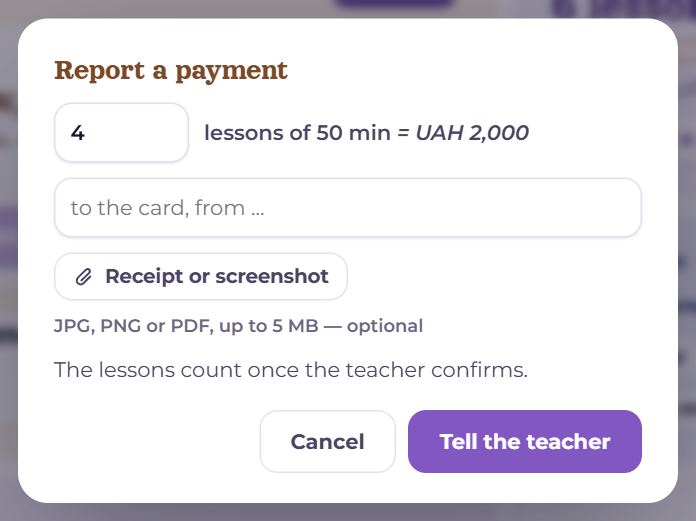
The short form on the pair page is the same in a small window: the teacher’s terms at the top, then the number of lessons, the note and the receipt.
Claim statuses
- “waits for confirmation” — the teacher has not answered yet. Above the form is the line “Your claim: 4” with the date, the note and the receipt, and a “Withdraw” button — if you got the number wrong, withdraw it and report again. The balance card on the pair page also says a claim is waiting.
- “confirmed” — the lessons are on the balance. The teacher may confirm a different number from the one in the claim — then their number goes onto the balance.
- “not confirmed” — the teacher pressed “Not received”: the money did not reach them. The balance does not change; sort it out in the chat.
The teacher can also record a payment themselves — cash, say, or a lesson given as a gift. Such a line is marked “Payment (written in by the teacher)” and waits for nothing.
Unpaid lessons
A lesson held when the balance is already at zero is “unpaid”. The balance goes below zero: “Owed”, “lessons took place before the payment came in”. The next payment covers what is owed first, and whatever is left goes ahead.
- On the pair page, under “Ahead”, future lessons are marked: “last one paid” — the last one covered, “not paid yet” — the ones after it.
- A lesson cancelled late, or one the student did not come to, may or may not be deducted by the teacher — the line says “counted” or “not counted”.
History
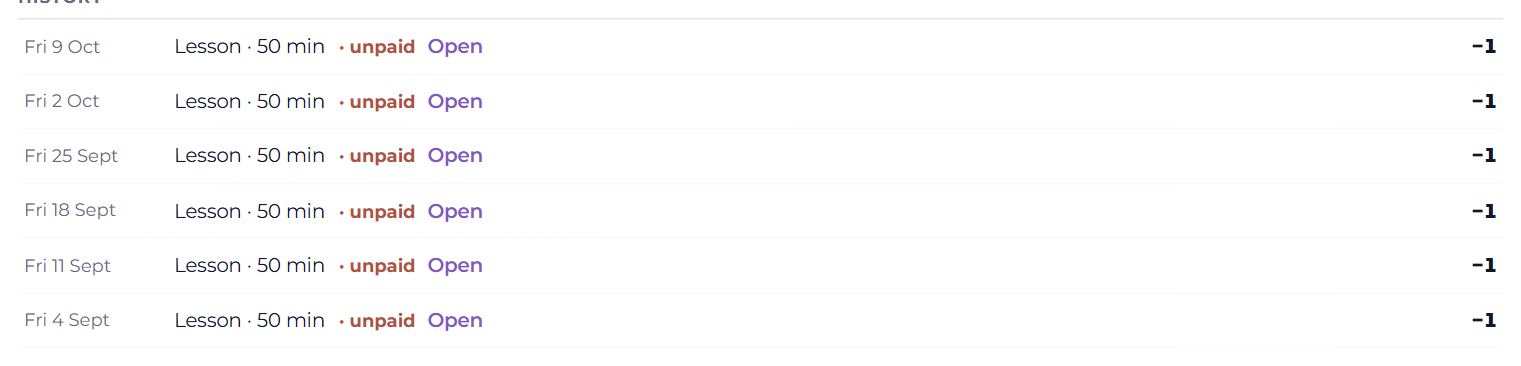
Every movement of the balance, newest first: the date, what it was, and on the right how many lessons were added (+) or taken off (−).
- Payment — your claim; Payment (written in by the teacher); Correction — the teacher took lessons off the balance. Next to them: the status, the note, the teacher’s reply and a “receipt” link.
- Lesson, Test call or “outside Memova” with its length; “missed” (and who did not come), “cancelled” (late or not), “not counted”, “unpaid”. “Open” — the lesson’s record.
An empty history says “Nothing yet.” The same payments are among the past lessons on the pair page too, under the “Payments” filter.
On a phone
The balance, terms, form and history stand one under another. A receipt can be photographed straight from the form — the phone offers the camera or the gallery.
Questions
- Can I pay my teacher through Memova?
- No. Memova only keeps the record, so both of you can see how much was paid and held. How to pay is in the teacher’s terms.
- I paid for 25-minute lessons. What do I enter?
- A claim is in lessons of 50 minutes, so four 25-minute lessons are 2. Each 25-minute lesson takes half off the balance.
- My teacher takes a long time to confirm.
- The lessons still go ahead — they are simply unpaid until the payment is confirmed. Remind your teacher in the chat.
- Does the teacher see my receipt?
- Yes — through the “receipt” link on the payment line.