Your page with a teacher
Everything about one teacher: the next lesson and the way into the room, what is booked after it, past lessons with their words, the payment balance, the words before your next lesson, your notes and the chat.
How to open it
On the Lessons page, tap the teacher in “My teachers”. A notification about a new message opens this page straight at the chat. The arrow at the top left goes back to “Lessons”.
The page has two columns that scroll independently: on the left “Ahead” and “Past lessons”, on the right the balance, “Before the lesson”, your notes and the chat.
Top of the page and the “⋯” menu

The teacher’s photo and name; above it “Your teacher · Spanish” with the language flag; under it, since when you have been linked and how many lessons have taken place.
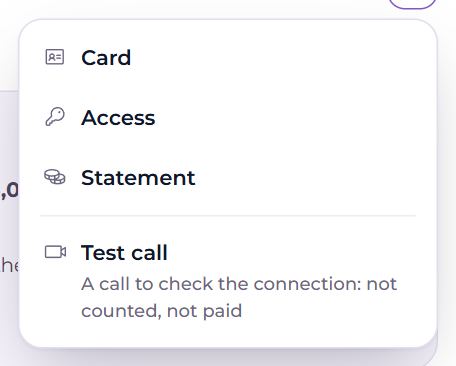
The “⋯” button on the right:
- “Card” — the teacher’s public card in the catalogue (if they have filled one in);
- “Access” — Settings → Teachers and students: which languages the teacher can see and change your words in, and how much;
- “Statement” — every payment and deduction with this teacher (see “Payments”);
- “Test call” — A call to check the connection: not counted, not paid. Tap it and you are in the room at once, and the teacher gets a call.
Next lesson
The top card of “Ahead” is your next confirmed lesson:
- in large type, “Tomorrow, 19:30”; under it the date, the length, “weekly” for a series, and when the room opens: “the room opens at 19:20” or “the room is open”;
- “Add to calendar” — add the lesson to Google Calendar. If a calendar is connected in Settings, it already says “✓ In your calendar”;
- the join button: until the room opens it is greyed out and shows the time — “Join at 19:20”; 10 minutes before the start it becomes “Enter the lesson”. The room stays open until 15 minutes after the lesson ends. While the lesson is on, “Lesson in progress” shows above the time;
- “Move” — propose another time. The old lesson holds until the teacher agrees to the new one;
- “Cancel” — asks “Cancel the lesson?” The time frees up at once. A late cancellation by the student may be counted by the teacher.
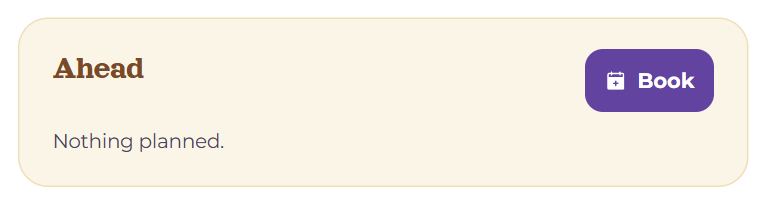
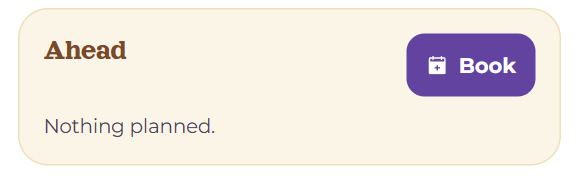
With nothing booked: “Nothing planned.”.
Ahead
The “Book” button at the top of the block opens booking with this teacher (see “Booking a lesson”). Under the next lesson is the rest of what is ahead:
- Requests. “María asks” — the teacher proposes a time: “Confirm”, “Another time…” or “Decline”. “waiting for María” — your own request; “Withdraw” takes it back. “confirm the lesson happened” — the teacher wrote in a lesson held outside Memova, and you confirm it took place. If a request moves a lesson, it says from which time.
- The lessons after it (up to five): date, time, length, a ↻ mark for weekly ones. The chip “last one paid” — what you have paid covers lessons up to this one; “not paid yet” — from here on they are unpaid. The cross on the right cancels that lesson.
- A series: the weekday, time and length of the weekly lessons, and “End the series” — Future lessons of the series will be cancelled; the ones held stay in the archive.
- If the clocks come apart (a change to or from summer time), a weekly series stops, and a line here says from which day; “Got it” removes the line, and the series can be proposed again at the new time.
Past lessons
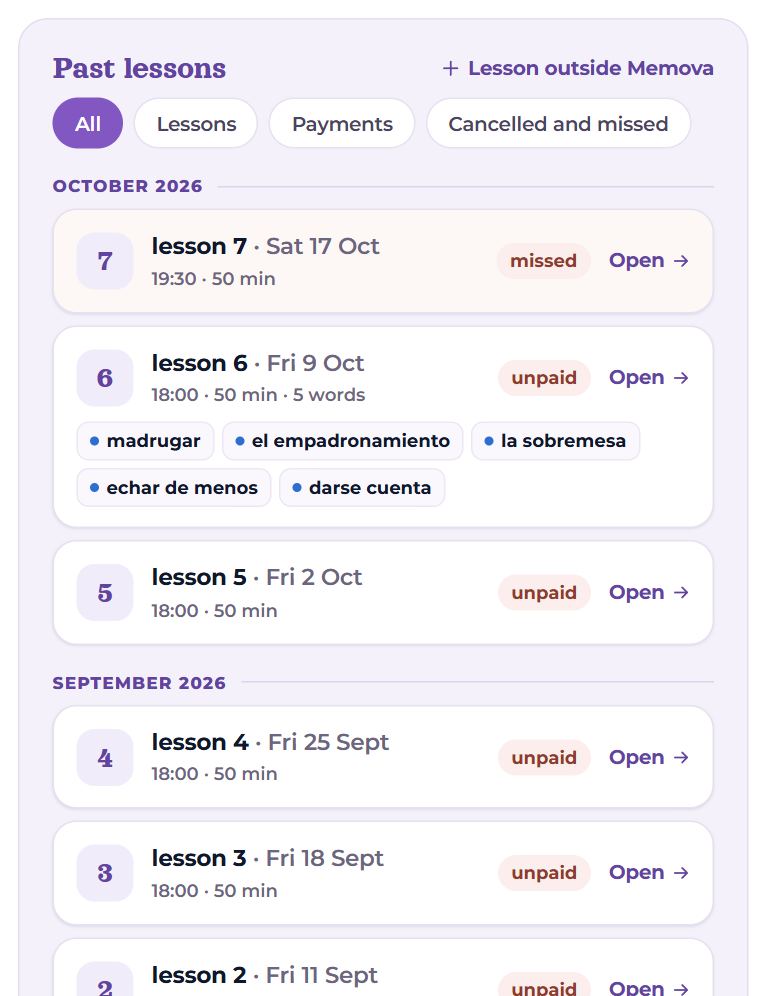
Only what is over, newest first, split by month. Filters: All, Lessons, Payments, Cancelled and missed.
- A lesson: its number in a circle, “lesson 6 · Fri 9 Oct”, the time, the length, “outside Memova”, how many words were given in it. Chips: “paid” or “unpaid”; for a missed one, “the teacher did not come”, “the student did not come” or “missed”. “Open” — the lesson’s record: words, files, notes.
- The lesson’s words — coloured chips: the colour shows the stage the word is at for you now; brick means the word is not sticking. Hover to see the translation.
- A cancelled lesson — one line: who cancelled, whether late, and whether it was deducted from the balance.
- A payment: “+4 lessons · 2,000 UAH”, who entered it, the note, the receipt, and the status — “confirmed”, “not confirmed” or “waits for confirmation” with a “Withdraw” button.
The last eight are shown; “Show … more” shows the rest.
“Lesson outside Memova” — A lesson held in person or in another app — so the ledger stays true. The other side confirms it happened. Date, time, 25 or 50 minutes, a note (“Zoom / in person”), “Record”.
Balance
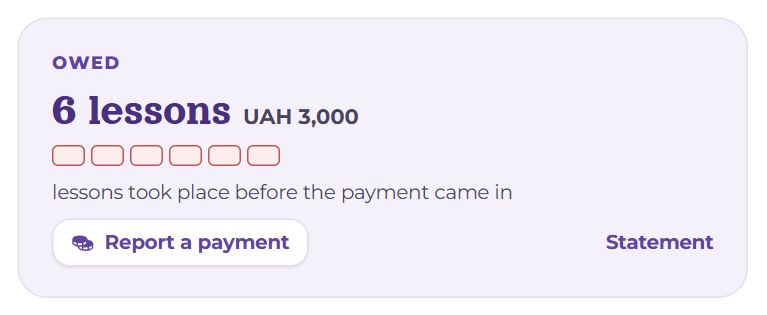
- “Paid ahead” or “Owed” — how many lessons (of 50 minutes; a 25-minute one is half) and, if the teacher set a price, how much money that is.
- The dots are the same lessons: already booked and still free, or owed.
- Under them: “lasts until 24 Oct” — the lesson your payments reach to; “nothing booked ahead”; “all settled”; or “lessons took place before the payment came in”. If your payment report is not confirmed yet, it says so here too.
- “Report a payment” opens a short form: how many lessons, a note, a receipt. “Statement” is the full history. Both are in “Payments”.
Before the lesson
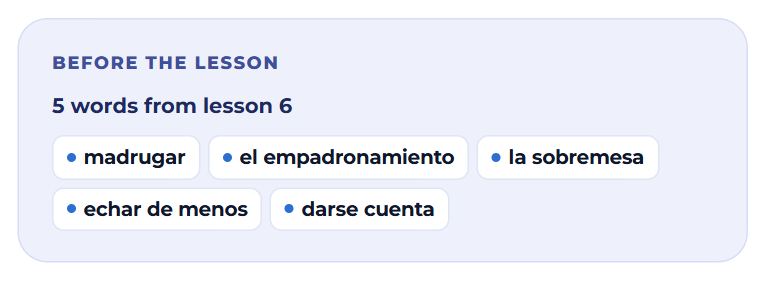
The words from the last lesson that had any: “5 words from lesson 6”, coloured by how they are going for you. With six words or more, and if you learn that language, “Play through them” appears — training on exactly those words. The same card shows on My day a day and a half before the lesson.
My notes
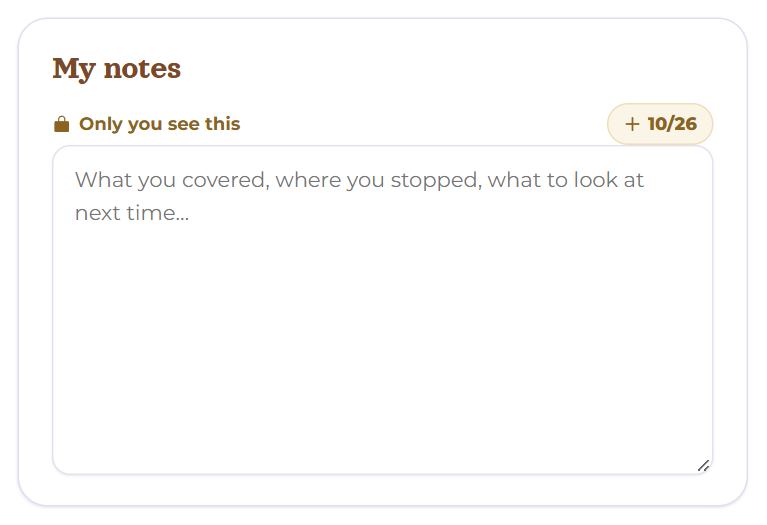
“Only you see this” — the teacher does not see them. Write whatever helps: what you covered, what to ask next time.
- They save themselves as soon as you stop typing: “Saving…” → “Saved”.
- The “+ 16.10” chip adds a line with today’s date at the end — handy for keeping lessons apart. Once the date is there, the chip is gone.
- The same notes are open in the lesson room. If they were changed in another window, you see “This note was changed in another window meanwhile.” and a choice: “Take that one” or “Keep mine”.
Chat
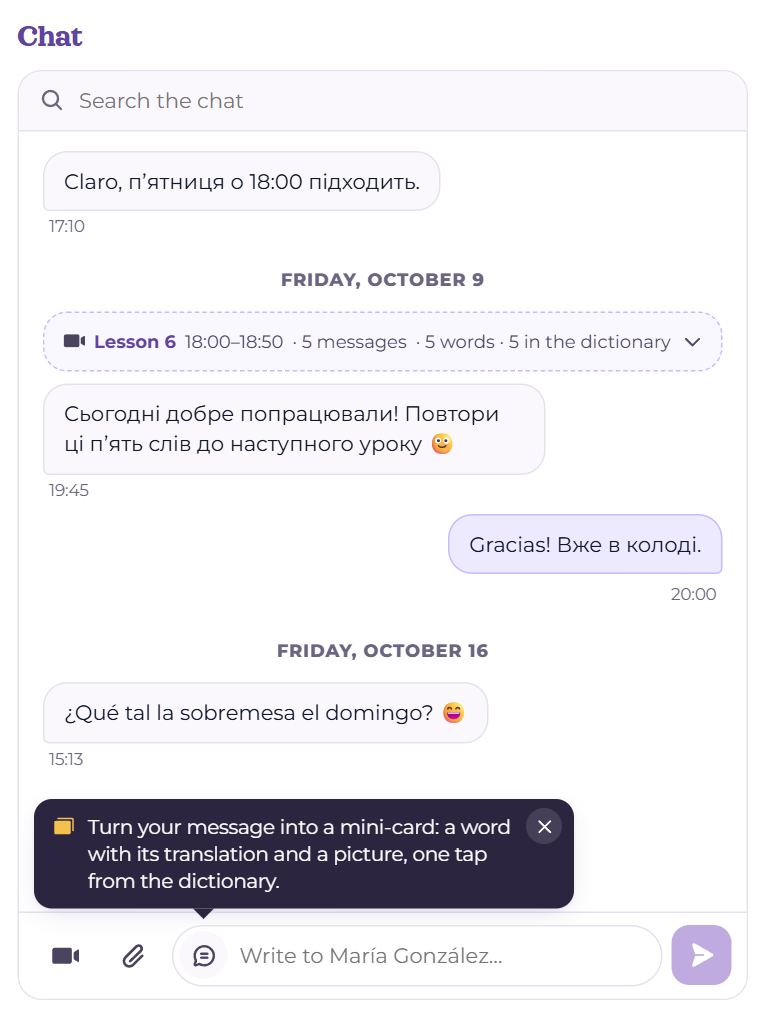
One conversation with the teacher — between lessons and during them.
- Search at the top (Search the chat) shows only the messages found; clear the box and the whole conversation is back.
- The button with a paper clip and a number is “Files”: everything you have sent each other, and screenshots from lessons. Tap a file to download it.
- A lesson block — the messages written during a lesson, folded into one line: “Lesson 6 · 18:00–18:50 · 5 messages · 5 words · 5 in the dictionary”. Tap to unfold.
- “Show earlier” — older messages.
- At the bottom: the camera button, “Invite to a lesson”, starts a lesson right now, leaves the invitation “Lesson invitation · Join the lesson” in the chat and takes you into the room; the paper clip, “Attach a file”; the field and the send button.
Words from the chat into decks
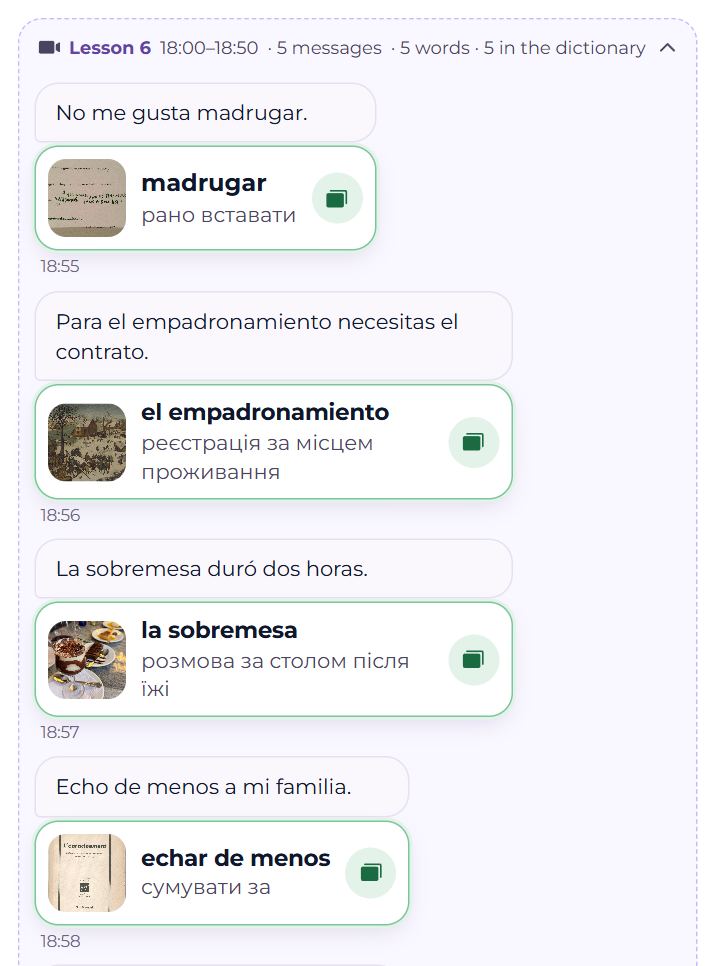
- A word from the teacher arrives as a mini-card: the word, a translation and a picture. (+) opens the add-word panel already filled in — one more tap and it is on your cards. A word you already have is green, and its button opens the word’s card with its history over the chat. Any line can be turned into a word, or a word back into a line, from the small circle in its corner — and you can send words yourself with the switch at the left edge of the field.
- Any word in a message: select it (on a phone, double-tap) and “+ To dictionary” appears above it. The add-a-word window opens, with the whole message as the example.
Words from a lesson get a tag with the lesson’s number and the teacher’s name — you can find them by it in the catalogue, and “Before the lesson” is made of them.
On a phone
The columns merge into one, in order of what matters next: ahead, balance, “Before the lesson”, past lessons, notes, chat. The chat has a height of its own and scrolls inside.
Questions
- The join button is greyed out — why?
- The room opens 10 minutes before the start. Until then the button shows when you can join.
- I don’t see “Move” and “Cancel”.
- They are not there once the room is open, or while the lesson is not confirmed yet (then there is “Withdraw”).
- What happens if I cancel late?
- The time frees up at once, but the teacher may deduct a late-cancelled lesson from the balance. “Past lessons” shows whether it was deducted.
- My teacher deleted their account.
- There will be no new lessons and you can no longer write, but past lessons, payments, words and messages stay here.