Review
The review session: card after card you recall a word, rate how easily it came, and Memova decides when to show it again.
Where it opens from
- The “Start” / “Continue” button on My day — a review of all the decks of the language you are learning, together.
- A deck on the Words page — a review of its words only.
The arrow button at the top left takes you back to where the session was opened from.
Top of the page

- On the left: where to go back, and the language pair (for example “UK → ES”: from which language into which).
- On the right: four modes — Focus, Grid, View, By ear (see “Modes”) — and the “Adjust the selection” button.

Under it, the day’s bar, with “recalled 12 of 30” at its end. When the goal is met, the bar turns gold and “Goal reached!” pops up over the card for a few seconds, with confetti and how many days the streak has run.
The card
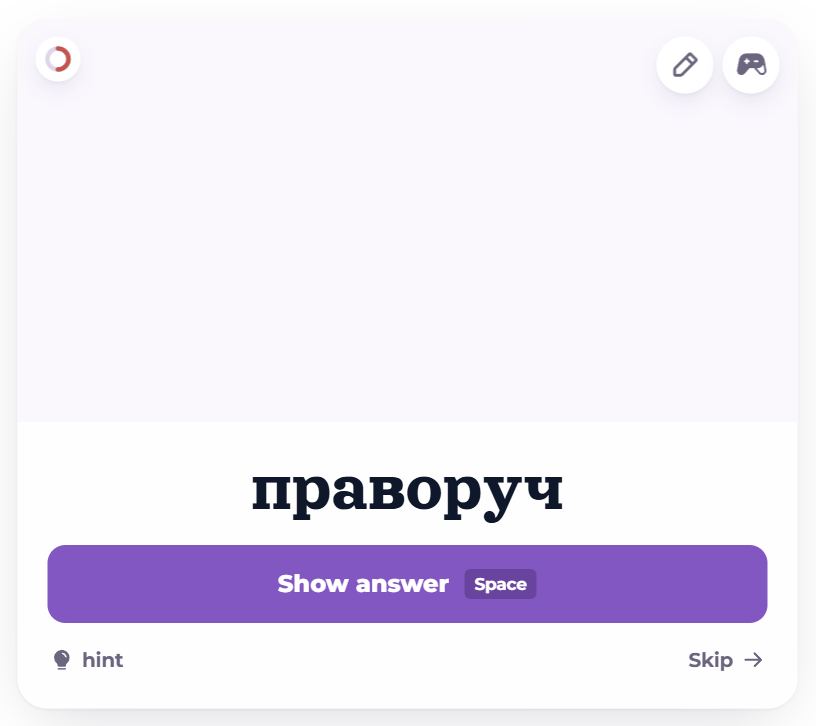
First you see the meaning — the word to recall in the language you are learning. Recall it (out loud is fine), then “Show answer” or the space bar.
- The small circle at the top left shows where the card is in learning: a dot — new, half a circle — being learned (learning steps), a full circle — in review.
- At the top right: two icon buttons — the pencil is “Edit”, the gamepad is “To training” (see “Card buttons”).
- At the bottom left, above the text: the card’s tags, one under another.
- The ▶ button above the text plays the sound (key P); it is not there if the card has no recording.
- If the card has a picture, it fills the top of the card.
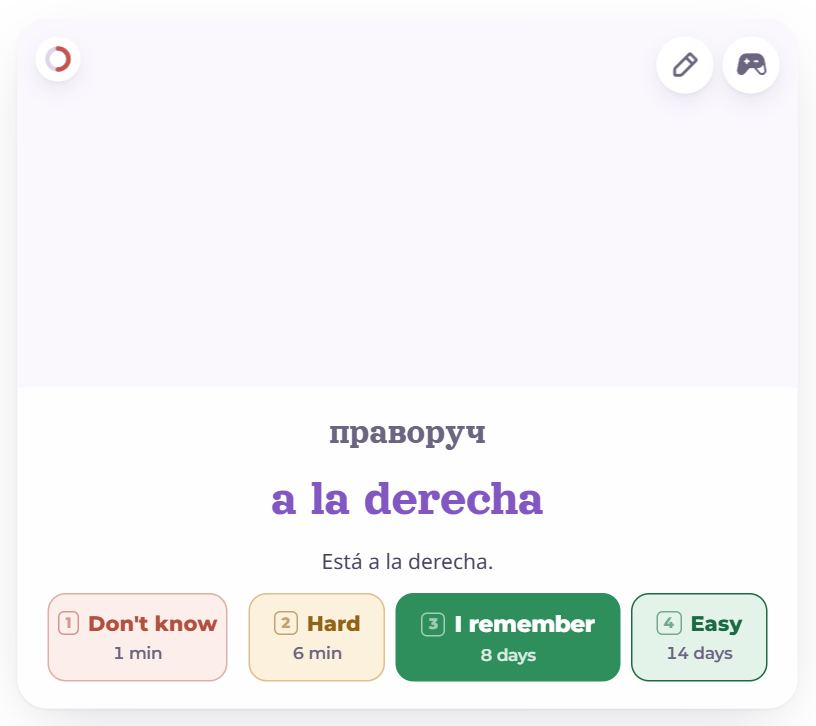
On the back: the word, an example if there is one, and four ratings. A long dictionary entry stands beside the card on a wide screen, in a “Read more” column, so the ratings never slide down.
Hint and “Skip”
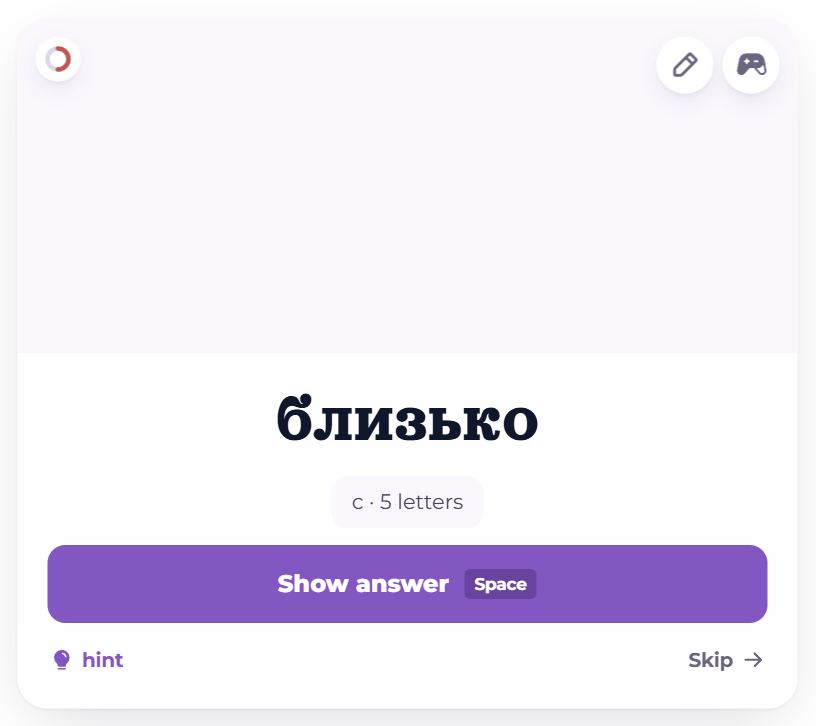
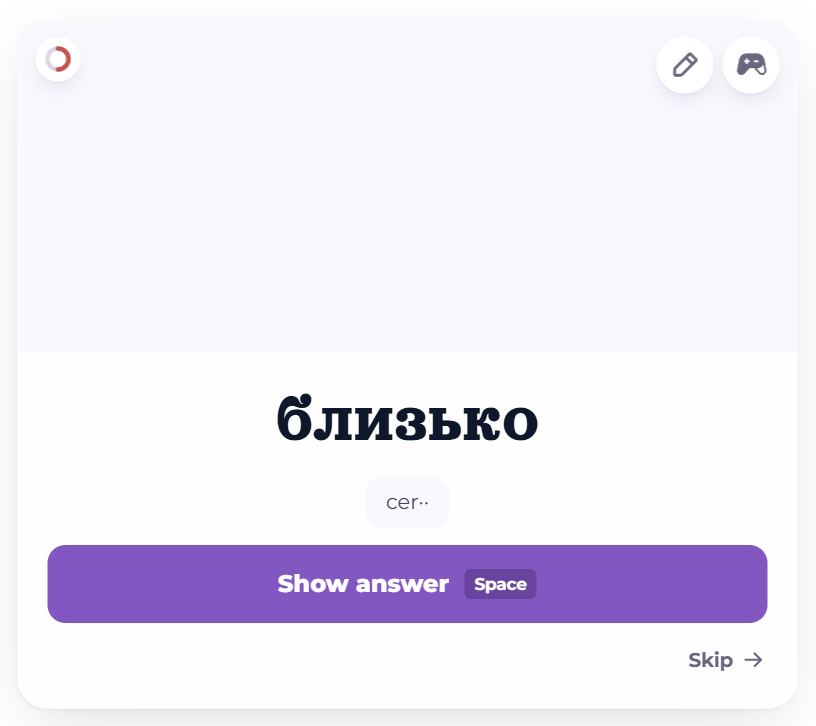
- “hint” (key H) — the first press shows the first letter and the word’s length, the second shows half the word.
- “Skip →” (the → key) — the card moves on unrated and comes again when the queue reaches its end. If it will not come at all: “Show answer”, then “Don’t know” / “Forgot”.
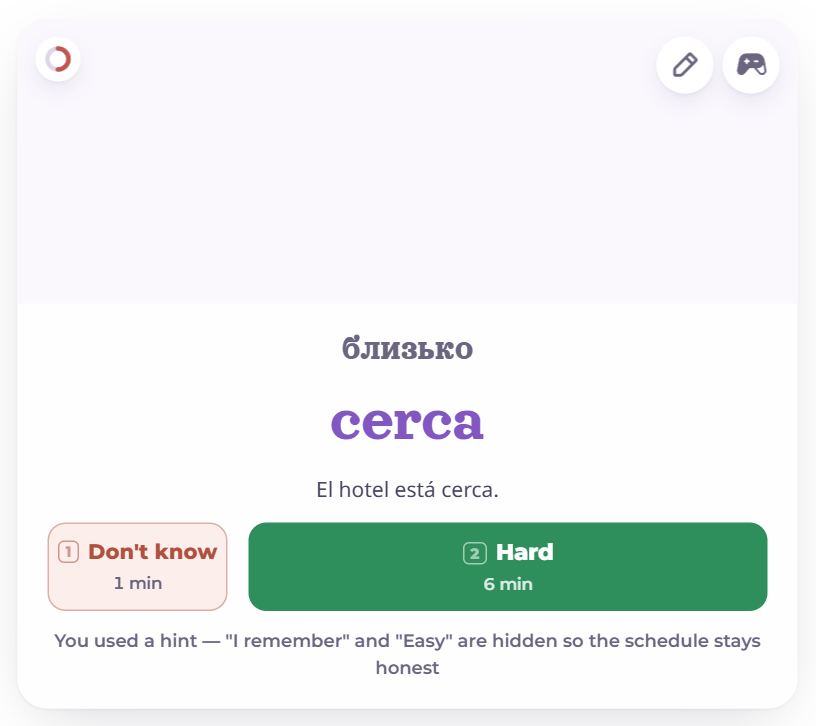
After a hint only two ratings are left — “Forgot” (or “Don’t know”) and “Hard”: the word was not recalled unaided, and “I remember” or “Easy” would stretch the next intervals on a false signal.
Ratings
Under each button: when the card comes again if you choose it. The keys are 1, 2, 3, 4.
- Forgot — it did not come. For a word you have never recalled yet (new, or in its learning steps) the button says “Don’t know”: you cannot forget what you did not know.
- Hard — it came, with effort.
- I remember — it came normally.
- Easy — at once, without thinking.
A new or forgotten word comes back later today — in a minute or ten, but not straight away: at least three other cards pass in between. The rest get a date days, weeks or months ahead: the better a word is remembered, the longer the interval.
A card counts toward the day’s goal once a day — when the answer is better than “Forgot”. How often it came round does not matter.
Card buttons
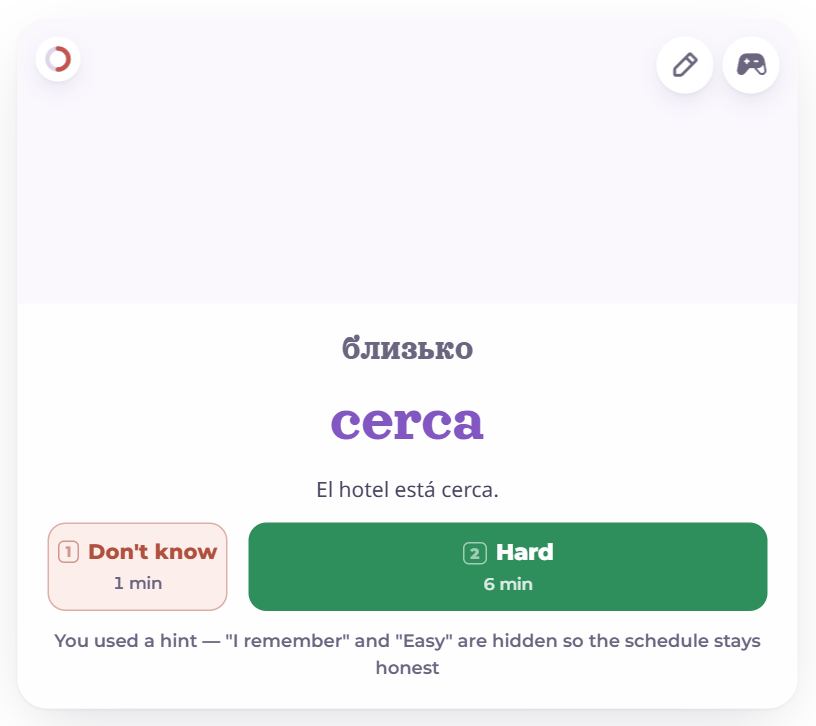
- Edit — opens the card at the side: fix the translation, the example or the sound, or move it to another deck without leaving the session.
- To training — the word leaves the reviews and waits in Training. Get it through the games and it comes back to the reviews on its own. Right after, an “Undo” appears.
Words that will not go in

A word forgotten three times in a row only frustrates in reviews — it is better taken through games. Such words are left out of the queue, and above the card it says “3 words will not go in — left out of this batch”, with the words themselves.
“Train them” opens training on exactly these words. Get them through the games and they come back to the reviews on their own.
What to review and in what order

The “Adjust the selection” button at the top right:
- What to review: everything due today (the normal session), only new, only learning, only review, review: today and yesterday, review: the last week, or the ones that will not go in. Handy when a pile has built up: start with the fresh, easy ones.
- Order: smart — words in their learning steps first, then the ones most likely still remembered; or random.
Modes
Focus
The usual one: one card, hints, ratings. Described above.
Grid
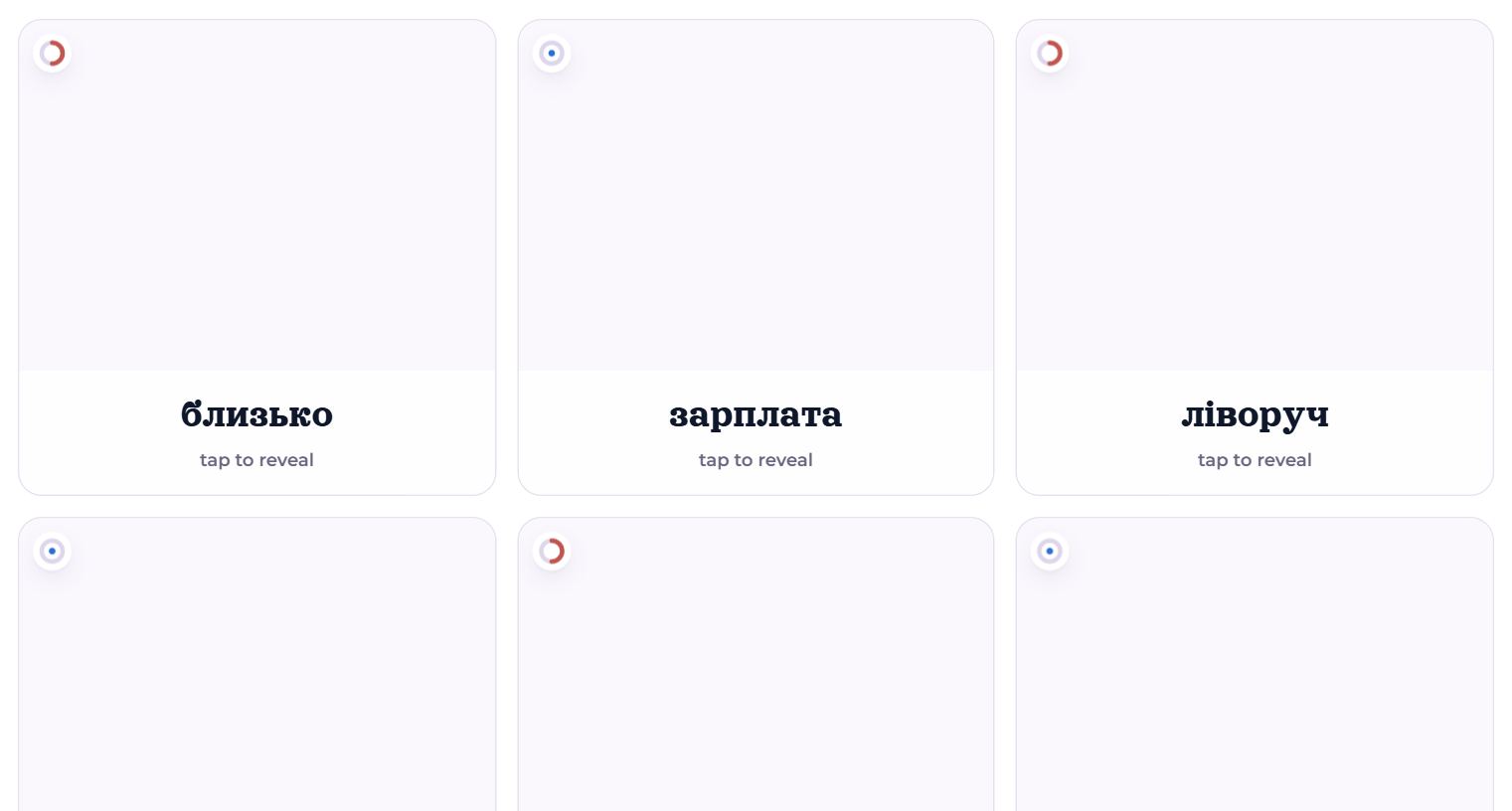
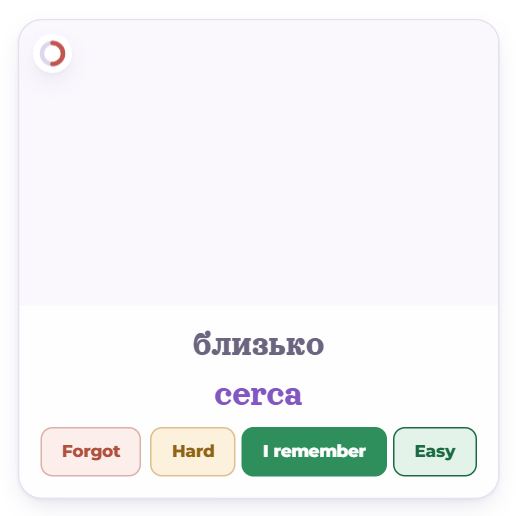
All the batch’s cards at once. Tap a card to see the word and four ratings. Nothing is reshuffled or removed under your hand: a half-remembered word simply stays open until you come back to it. Handy for many familiar words. The keys do not work here.
View
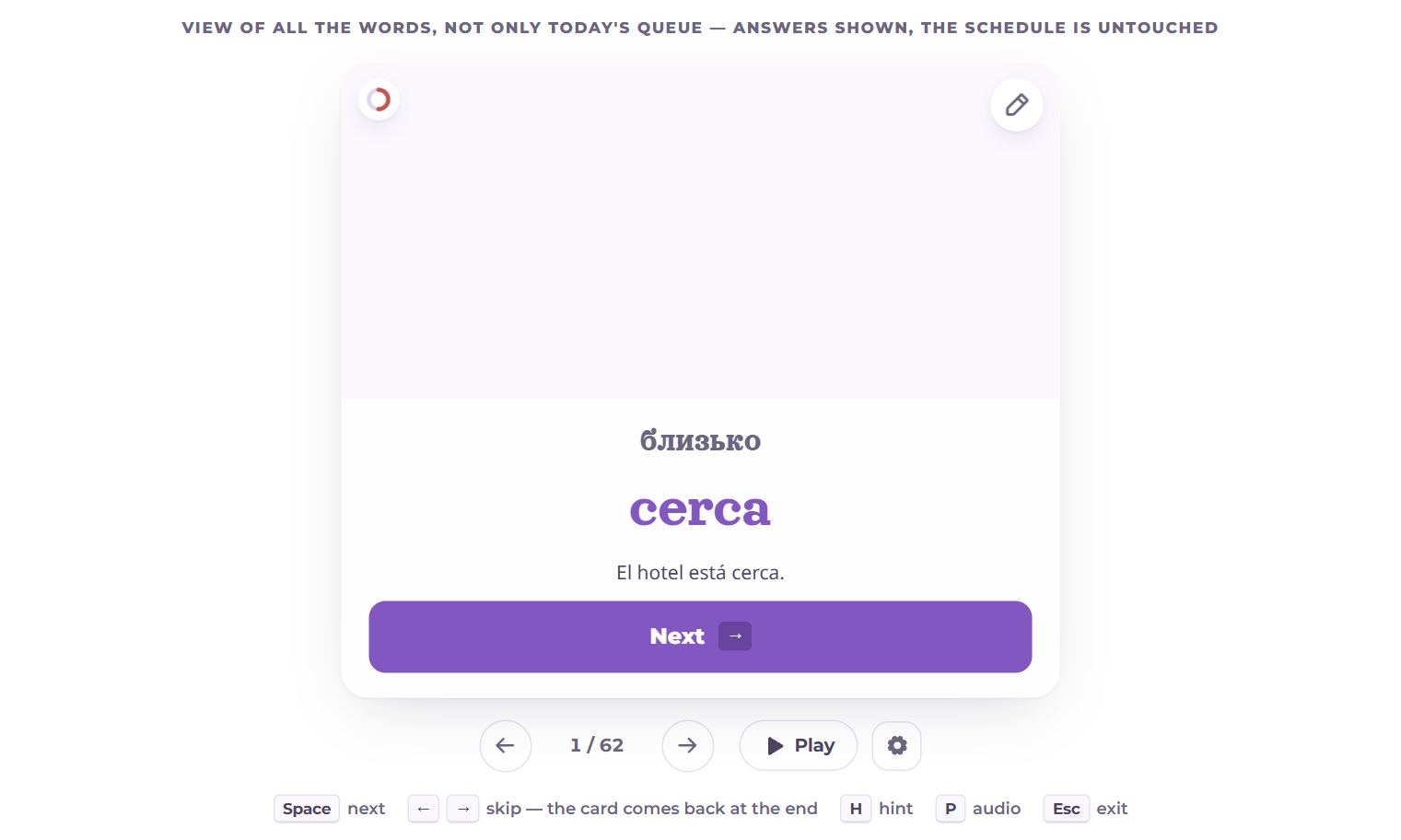
The answers are shown at once and the schedule is untouched — just leafing through words. View takes all the words of the deck, not only today’s. “Next” or the space bar moves on.
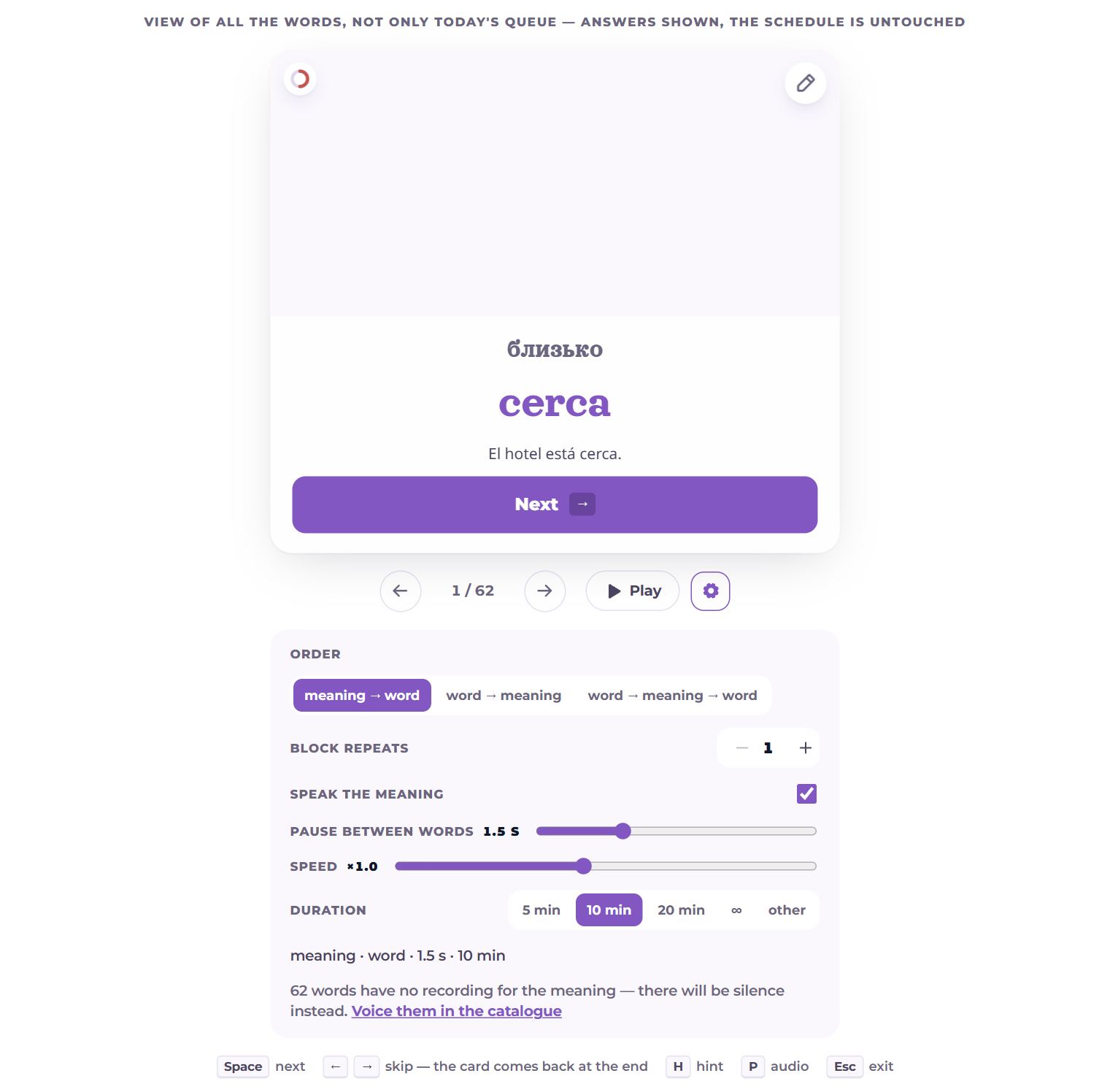
“Play” plays the cards by itself, like an audio lesson — with headphones on a walk. The gear next to it holds the playback settings:
- Order: meaning → word, word → meaning, or word → meaning → word;
- Block repeats — how many times that sequence plays for each card (1–5);
- Speak the meaning — turn it off and only the word is heard;
- Pause between words (0–5 s) and speed (×0.6–×1.5);
- Duration — 5, 10 or 20 minutes, endless (∞) or your own number; then playback stops by itself.
At the bottom, a sentence made of all the settings, such as “meaning · word · 1.5 s · 10 min”. If some words have no recording of the meaning, there is silence in its place, and the “Voice them in the catalogue” link opens exactly those words. The settings are remembered by this browser, not the account: headphones and a desk want different things.
By ear
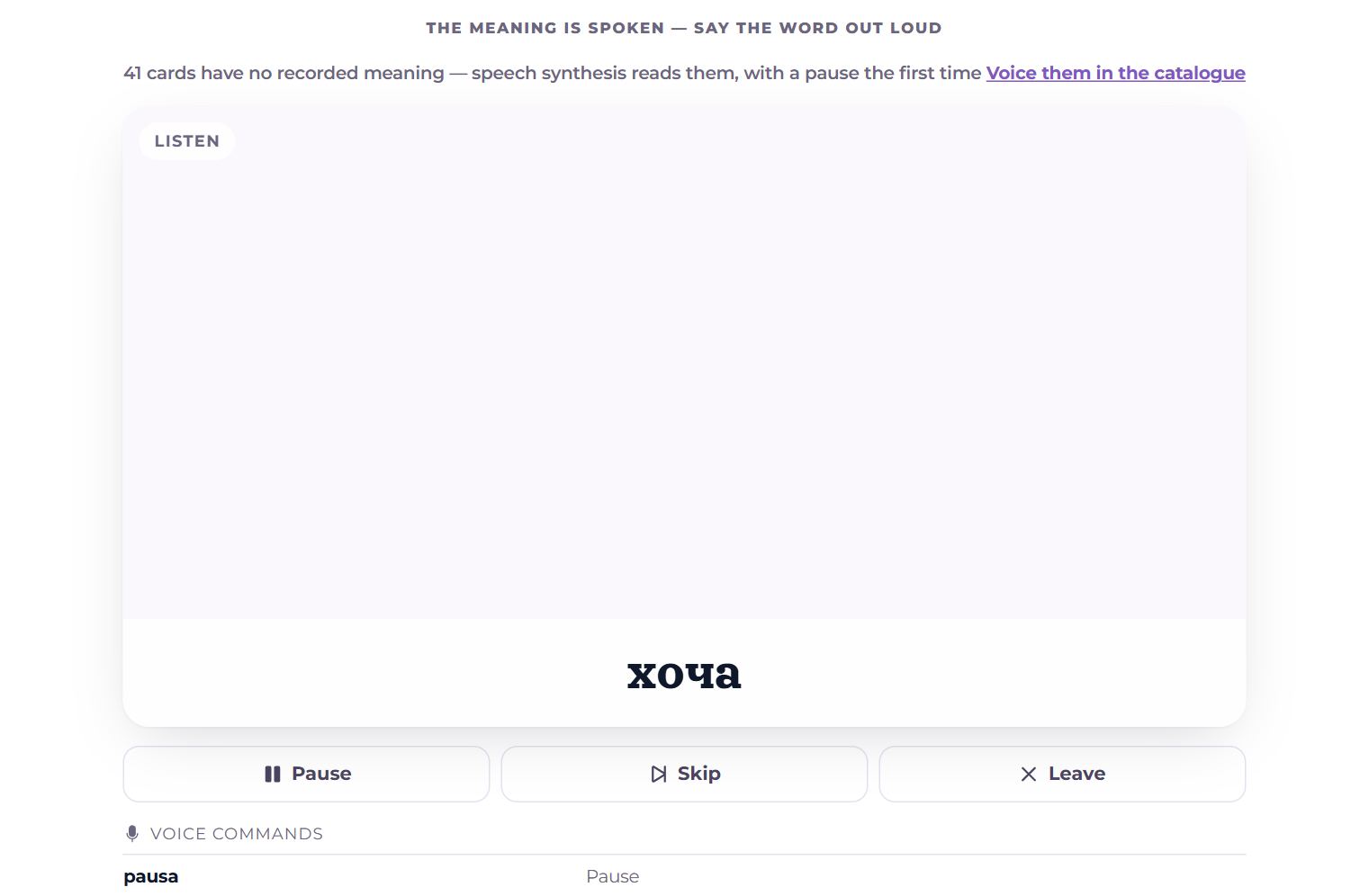
No screen needed: the meaning is spoken, you say the word out loud, and the time you take sets the rating.
- Said in under 2 s — “Easy”; on the first try within 15 s — “I remember”; on the second try or later — “Hard”; not said — “Forgot”.
- Two tries per card; they are used up by mistakes, not by silence. After 30 s the answer is spoken.
- Voice commands — pause, skip the card, play the prompt again, “give up, say the answer”, finish. They are said in the language you are learning, because the recogniser listens in it; each can have several wordings, separated by commas.
- The gear under the card holds these times, the success and failure sounds, and the command words.
- It needs a browser that recognises speech: Chrome or Safari. A meaning with no recording is read by speech synthesis (with a short pause the first time); the catalogue can voice them ahead.
The queue and its end
The queue is all of today’s work at once, even if it is fifteen hundred cards. First comes the recommended part: as many as the goal still needs, with a margin for “Forgot”, and the day’s new words. After it, the rest of the reviews. When the goal is met, the bar turns gold and a short note says so; from there, go on as long as you like, or leave at any time.
When the queue runs out:
- goal not met yet — “Queue finished”, how many were recalled, “Keep going”, “Play a game”, or go back;
- goal met — “Goal met. What next?”: training the words that are not sticking (if there are four or more), or “Done”.
If some words are still in their learning steps, the page says in how many minutes they come back, and “Keep going” deals them.
Keys
- Space — show the answer (in View — next);
- 1–4 — rating;
- → — skip: the card comes back at the end (in View, ← and → go back and forth);
- H — hint; P — sound; Esc — leave.
Questions
- How is “Hard” different from “Forgot”?
- With “Hard” the word did come, and the interval still grows, only less. “Forgot” sends the word back to short steps today.
- I skipped a card — what happens to it?
- It comes again when the queue reaches its end; no rating is given.
- Does View count toward the goal?
- No: View has no ratings and does not change the schedule.