Words
All the words of the language you are learning: where they came from, which deck they wait in, and how they are going. From here you can also take any part of them into a review or training.
Top of the page

- The title is how many words this language has; above it, which language (switched with the flag in the menu).
- The coloured bar is a thermometer: all the words by stage, with the count of each under it.
- “+ Word” adds one word (see the “Add a word” article).
- “Edit in the catalogue” — the same words as a table: search, filters, bulk actions. With a deck open, the catalogue opens on it.
While there are no words yet, this is also where you are offered to bring them over from another app, with your progress — Import.
Four stages
Every word is at one of four stages, and a stage has the same colour everywhere in the app:
- New (blue) — not started yet;
- Learning (red) — in review, remembered for less than two weeks; new words in their learning steps are here too;
- Almost (yellow) — remembered for two weeks to 40 days;
- Learned (green) — remembered for 40 days and longer.
“Remembered for” is the interval the word got at its last review. A forgotten word goes back to “Learning”.
Decks
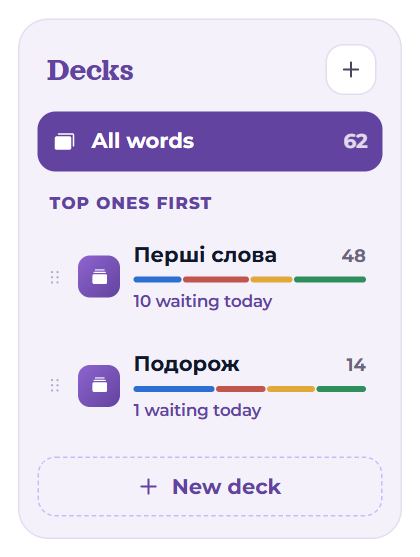
A deck is when to learn a word. Everything new lands in “My words” and comes in turn; a separate deck is for when you want to learn something apart: a topic, words for a trip, phrases.
- All words at the top — everything together, undivided.
- The order of decks is the order of new words: “top ones first”. The day’s new words are taken from the top deck first. To move a deck, drag it by the ⠿ grip on its left.
- Under a deck’s name: how many words it has, a small thermometer, and how many are waiting today.
- “+ New deck” (or the “+” by the heading) — type a name and press Enter.
- A word or a whole group from “Recent” can be dragged onto a deck to move it there.
Paused decks do not appear in reviews: they sink to the end of the list, greyed, marked “paused”.
When many of your new words are rare (not among the 5,000 most common), a tip under the decks offers to gather them into a “Rare” deck at the end of the queue — so the common words come first. “Into «Rare»” or “No”.
An open deck
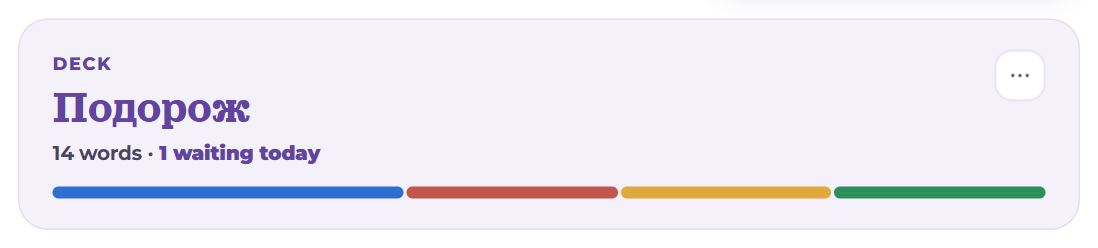
Click a deck and its head appears on the right: the name, how many words, how many are waiting today, a small thermometer. The “⋯” button holds the deck’s actions:
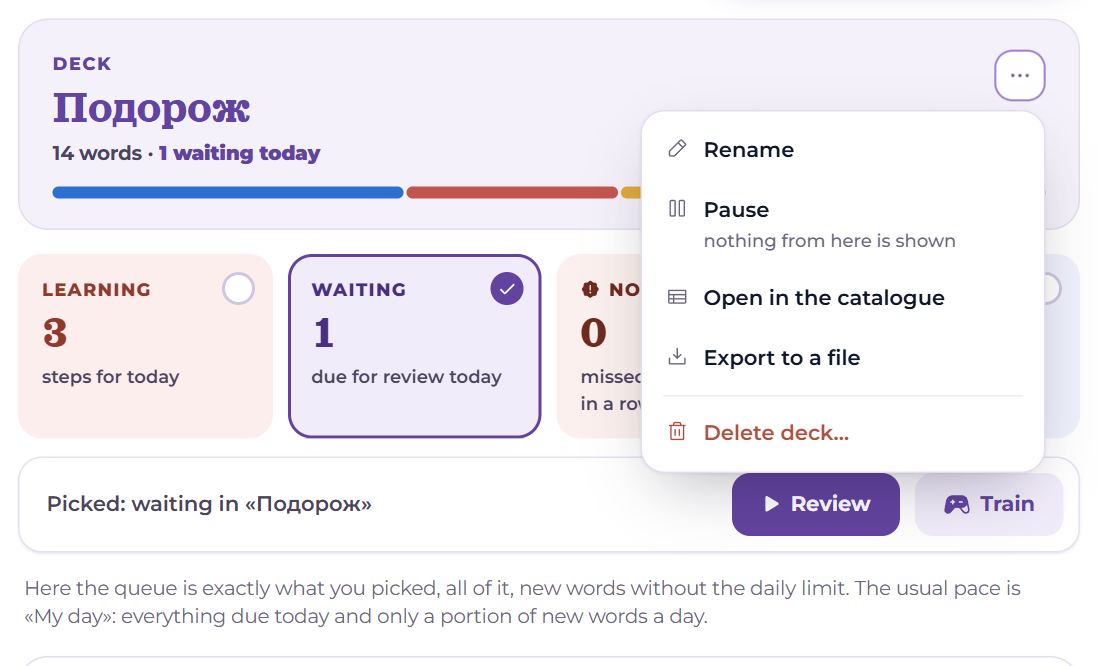
- Rename;
- Pause — nothing from here is shown, neither new words nor reviews; the words’ progress is kept. Resume — everything comes again;
- Open in the catalogue — these words as a table;
- Export to a file — take the deck to Anki, a spreadsheet or a Memova archive (see “Import and export”);
- Delete deck… — together with its words; the app asks again, since this cannot be undone.
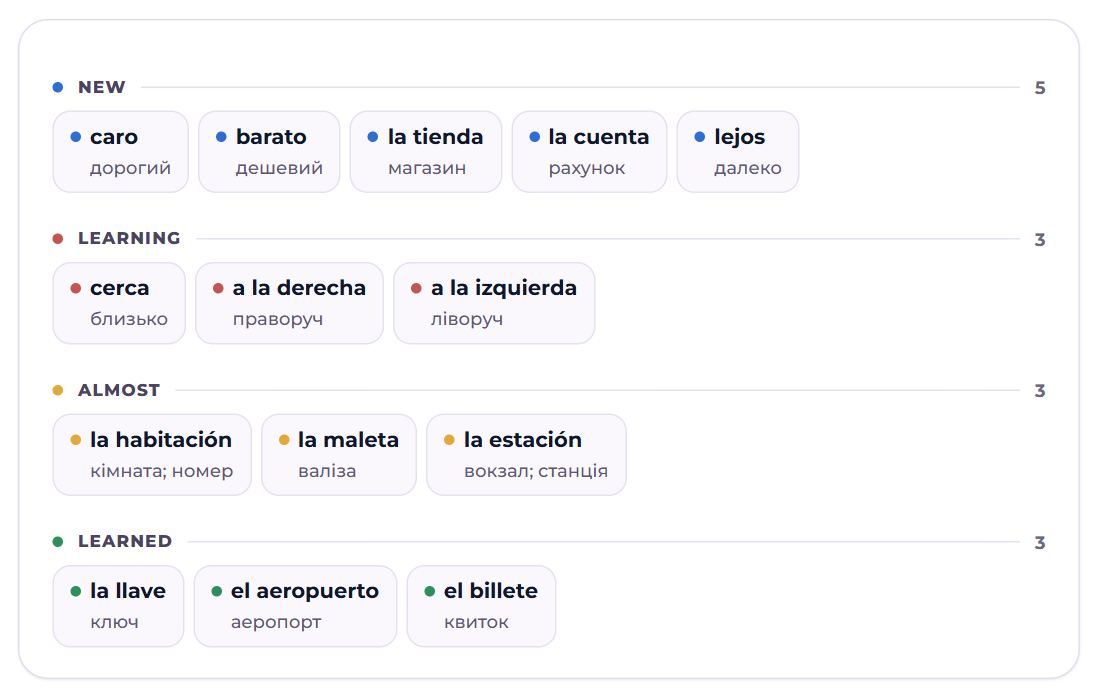
Below, the deck’s words grouped by stage, new ones on top. A word that is not sticking has a brick-red dot. Each stage shows up to 40 words; the rest are behind a “N more — in the catalogue” link.
What to work on

Four cubes count the words of the open deck, or of the whole language:
- Still learning — learning steps for today;
- Review — due for review today;
- Not sticking — missed several times in a row;
- New — not started yet (paused decks left out).

Click the cubes to pick what to work on; the line under them says what is picked. At first, what is waiting today is picked — or, with nothing waiting, the new words.
- “Review” (or “Start new ones” when only New is picked) — a review session on exactly these words;
- “Train” — games on the words of this deck or language; with only “Not sticking” picked, on those alone.
Here the queue is exactly what you picked, all of it, new words without the daily limit. The usual pace is “My day”: everything due today and only a portion of new words a day.
Recent
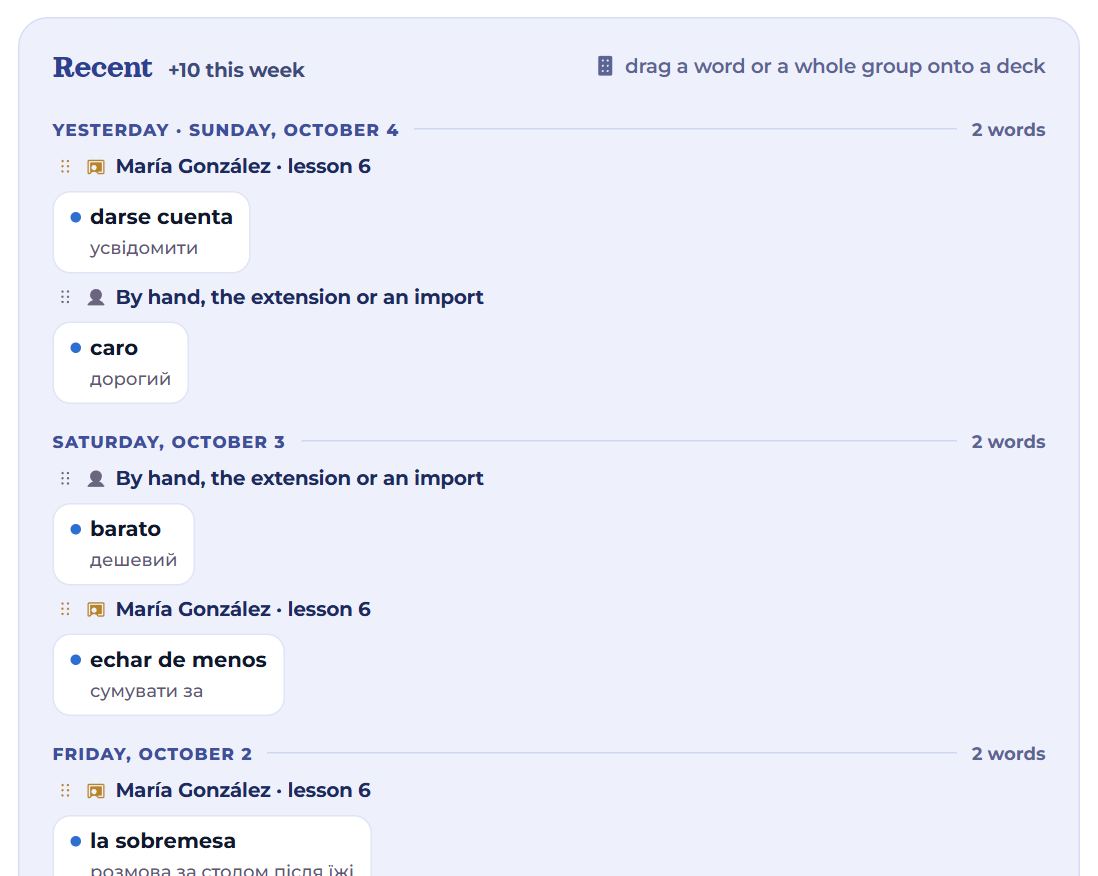
With no deck open, below are the words added this week: by day, and within a day by source:
- a lesson — “Maria · lesson 6”: words your teacher added during the lesson;
- a library material — the title of the text or video the word was taken from;
- by hand, the extension or an import.
The source is set by itself, as a tag, and stays on the word’s card. A word or a whole group (by the ⠿ grip by the source) can be dragged onto a deck on the left.
Word card
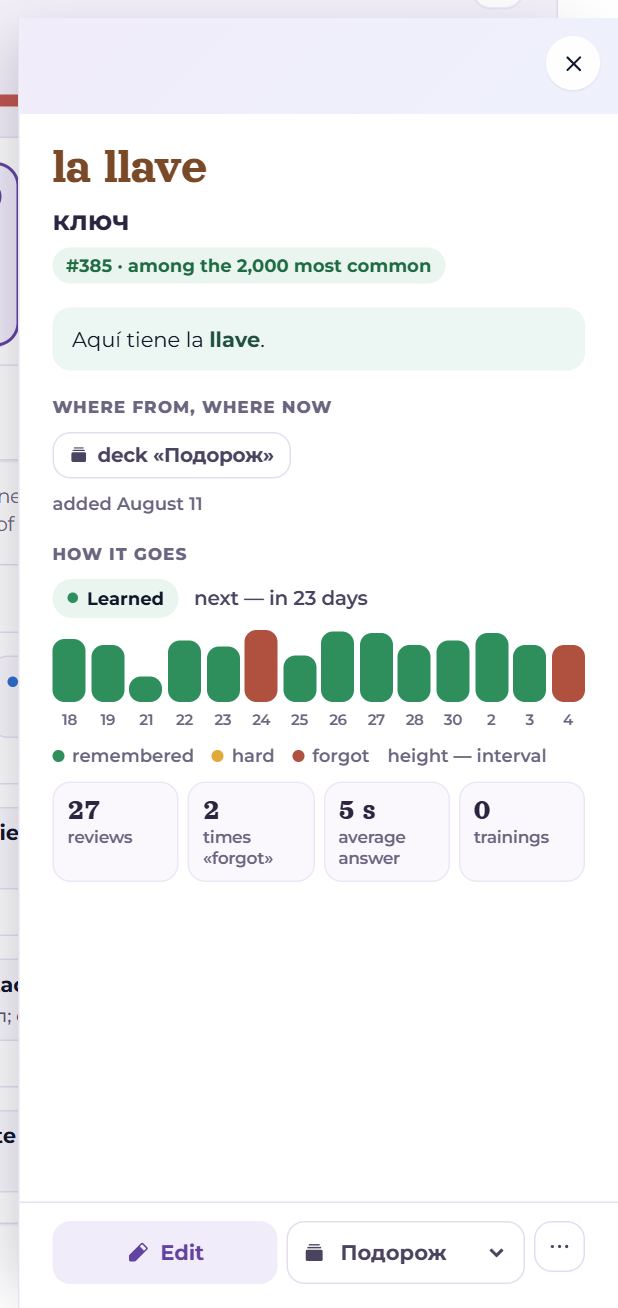
Click a word and its card opens at the side:
- a picture if there is one; the word and its translation, each with a button to listen;
- frequency — the word’s place among the language’s most common: “#385 · among the 2,000 most common”;
- an example with the word picked out; the dictionary entry, folded;
- Where from, where now — the lesson or material the word came from, tags, which deck it is in, when it was added;
- How it goes — the stage, when the next review is, and the last 14 reviews as bars: height is the interval that came out, colour is the answer (remembered, hard, forgot). Point at a bar for its date and interval. Under them: how many reviews, how many times “forgot”, the average answer time and how many trainings — and for a word that has been reviewed, its interval and stability (in how many days the memory is reckoned to fade) too, with the date of the next review next to “in N days”.
At the bottom: “Edit” — translation, example, sound, picture; the list of decks — move it to another; “⋯” — open in the catalogue or delete the word together with its review history. Close it with the cross or Esc.
On a phone

Decks are a row of buttons above the cubes; there is no dragging, because a finger on a word is a scroll. There is no catalogue button either: the table and bulk actions are for a computer or a tablet. A single word is fixed in its card, which opens from the bottom.
Questions
- How many decks should I make?
- None to begin with: “My words” is enough. A deck makes sense when something has to be learned apart, or before the rest.
- Pause or delete — what is the difference?
- Pause only hides the deck from reviews; the progress is kept. Delete removes the words with their history for good.
- Why did a “Learned” word come up for review again?
- A learned word is still reviewed — just rarely, once every few weeks or months. That is how it stays learned.